Deploy apps
Production infrastructure, in your AWS account.
microbuilder builds the whole stack, from the network to the running app, the way an experienced platform engineer would. Every resource is tagged, recorded and removable.
Three layers
Foundation, cluster, apps.
Each layer is built once and reused: many clusters in a landing zone, many apps on a cluster.
1. Landing zone
2. Cluster
3. Apps
A landing zone, built and recorded step by step.
An ECS cluster inside it, with EKS alongside.
Three ways in
Start from words, an image or your code.
Describe it
A container image
A GitHub repository
Running it
Everything a running app needs.
Public or private
Custom domains
Secrets kept secret
Storage attached
Scale and logs
Clean teardown
Blueprints
Complete stacks in one step.
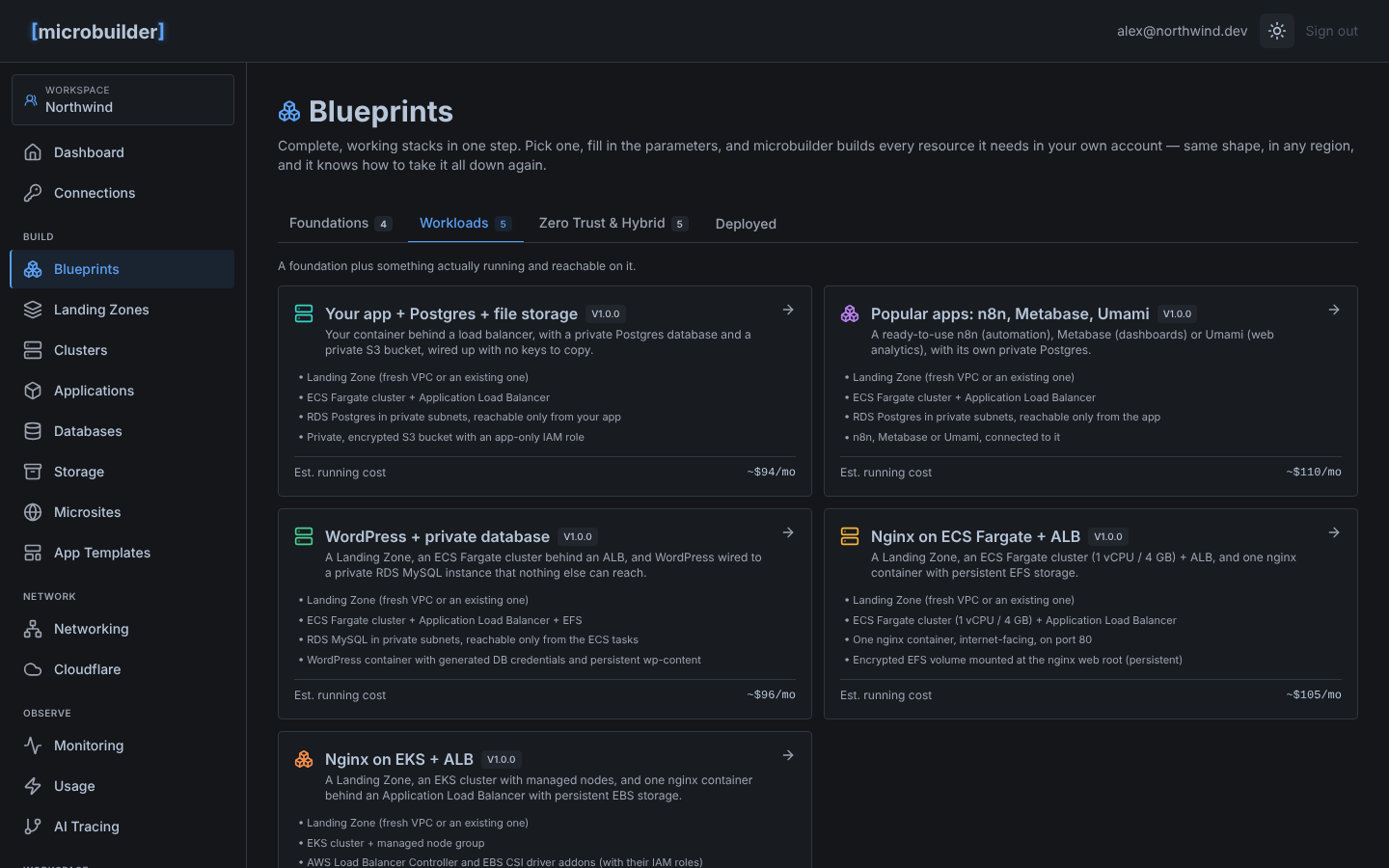
A blueprint is a tested stack: pick it, fill in a short form, and microbuilder builds every resource it needs, in any region, with its running cost estimated before you start. It knows how to take it all down again.
Foundations
- Landing Zone
- Paired Landing Zones (prod and non-prod)
- Peered Landing Zones
- Transit Gateway hub and spokes
Workloads
- Nginx on ECS Fargate with a load balancer
- Nginx on EKS with a load balancer
- WordPress with a private database
- Your app with Postgres and file storage
- Popular apps: n8n, Metabase, Umami
Zero Trust and hybrid
- Site-to-site VPN to on-premises
- Zero Trust landing zone (Zscaler ZPA)
- Zscaler HA VPN to AWS
- Zscaler VPN with private DNS to EC2
- Zscaler VPN with self-hosted DNS to EC2
Build your first landing zone today.
Connect a cloud account, describe what you need, and watch it build. The free plan is free for good.
Free plan. No credit card.